/goal — The Ultimate AI Agent Command
Turn your AI into a 24/7 autonomous employee that works for hours with zero manual intervention. Complete guide + infographic.
What is /goal?
/goal is a powerful new feature (primarily in Claude Code / Codex tools) that lets AI agents run autonomously until they reach a defined success state. No more approving every step — the agent handles the full loop itself.
In Grok Build, Morgan Linton treats /goal as a core superpower for long-running coding — especially combined with workflows first, then /goal on the top priorities. See Morgan Linton’s Grok Build workflow.
Without /goal vs With /goal
❌ WITHOUT /goal
- You approve every step
- You send prompts to continue
- You are the bottleneck
- Constant manual intervention
✅ WITH /goal
- Agent validates everything itself
- Agent closes the loop autonomously
- Agent works start to finish
- Returns final product when done
3-Element Formula for Powerful Goals
The task in one clear line
Define what "done" looks like
Rules the model must follow
/goal [do the work] until [measurable end state] without [constraints]
Full Infographic
Complete visual reference from @aiedge_:
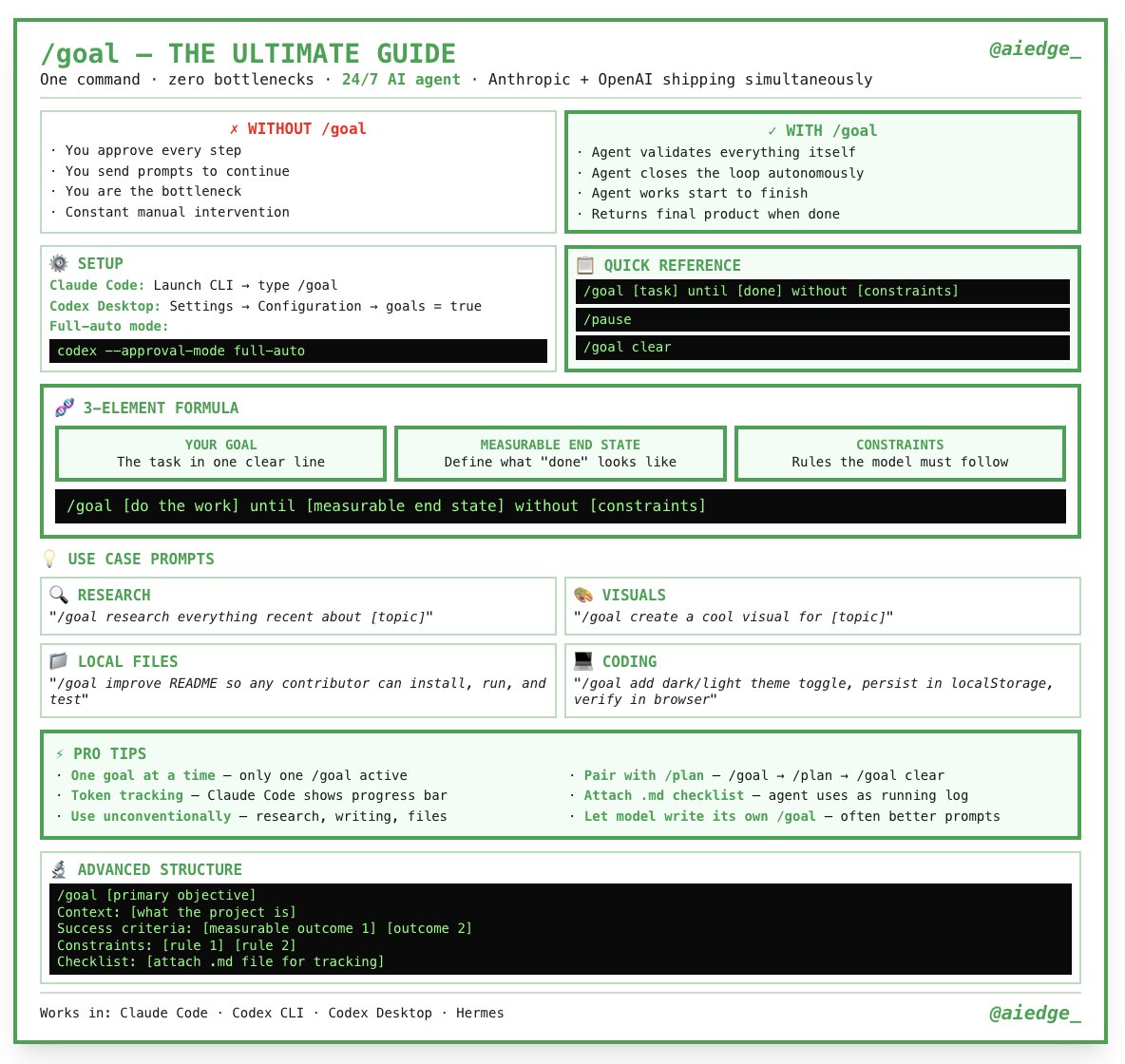
Quick Reference Commands
/goal [task] until [done] without [constraints]/pause— Pause the current goal/goal clear— Clear the active goal
Use Cases
🔍 Research
"research everything recent about [topic]"
🎨 Visuals
"create a cool visual for [topic]"
📁 Local Files
"improve README so any contributor can install, run, and test"
💻 Coding
"add dark/light theme toggle, persist in localStorage, verify in browser"
Pro Tips
- One goal at a time — only one
/goalactive - Pair with
/plan→/goal→/goal clear - Attach a
.mdchecklist — agent uses it as a running log - Let the model write its own
/goal— often better prompts - Use token tracking in Claude Code for progress visibility
Advanced Structure Example
/goal [primary objective]
Context: [What the project is]
Success criteria: [measurable outcome 1] [outcome 2]
Constraints: [rule 1] [rule 2]
Checklist: [attach .md file for tracking]
Works in: Claude Code • Codex CLI • Codex Desktop • Hermes
Try it this week — this might be the most powerful AI productivity feature released recently.
Comments
Approved comments appear below. Log in once with GFAVIP — it applies across the whole site. GFAVIP login
View comments archive